Tesla Drive Companion
Weather, traffic, news and EV chargers in one touch-friendly page for your Tesla's browser.
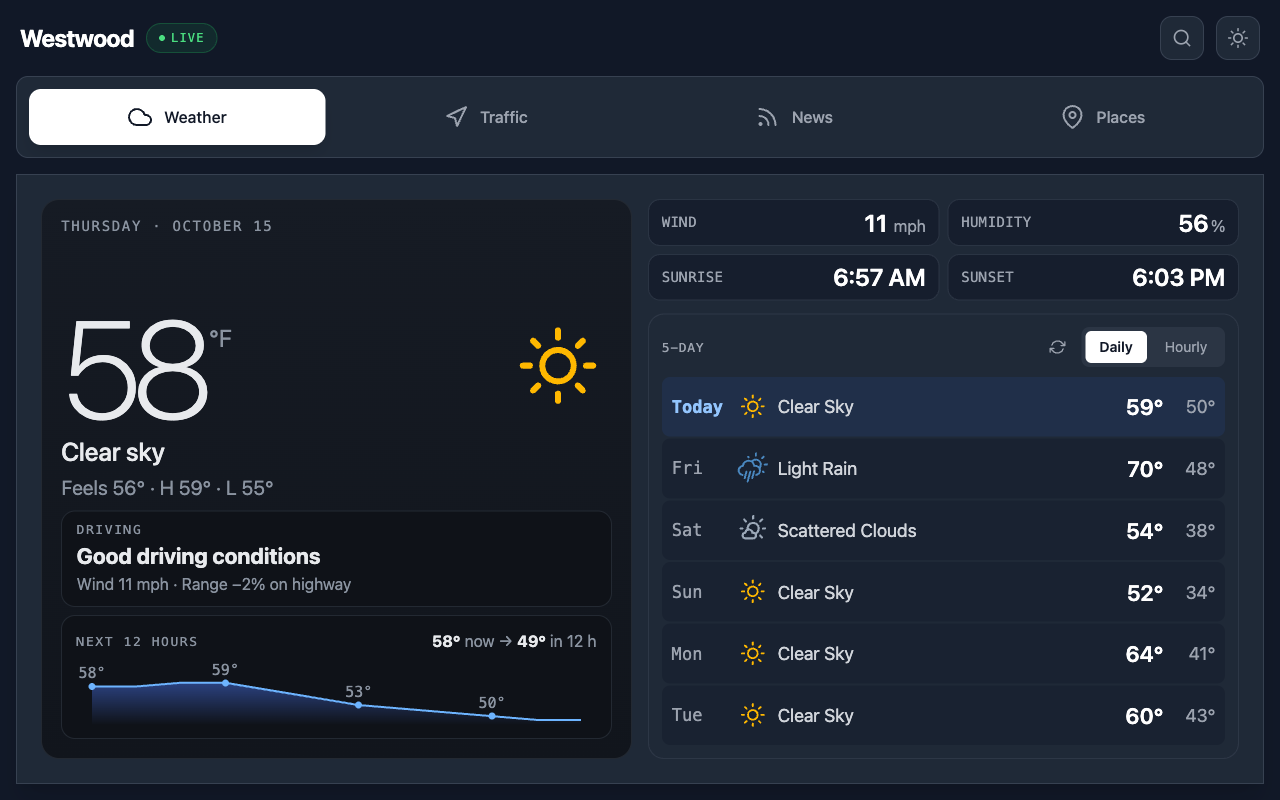
A homepage made for the Tesla in-car browser. It brings the weather, live drive times to your saved places, the news and nearby chargers into one big, touch-friendly screen that follows your car's day and night display.
Tesla in-car browser, or any desktop or mobile browser
What it does for you
Weather for driving
Current conditions, a 12-hour trend and 5-day forecast, plus a driving insight that estimates cold-weather range loss.
Live drive times
Save up to four places like Home and Work to see live drive and arrival times, plus traffic incidents near you.
EV chargers nearby
Find the nearest chargers with plug types, speed and stalls, Tesla-compatible first, along with food and other stops.
News at a glance
Headlines in six categories from free-to-read sources, sized for reading in the car.
Made for the touchscreen
Large touch targets and fonts sized for the Tesla screen, with light and dark modes that follow the car's display.
Private by design
No account. Your saved places and last location stay in your car's browser.
Quick Start
Up and running in a couple of minutes
- 1
Open it in your Tesla
Open the browser on your Tesla's screen and go to the site. Bookmark it so it's one tap away.
https://teslaweather.netlify.app - 2
Set your location
Allow location when asked, or tap Change location and enter a zip code or town. It's remembered for next time.
- 3
Save your places
On the Traffic tab, tap Add place and search for an address to save Home, Work and more for live drive times.
- 4
Explore the tabs
Switch between Weather, Traffic, News and Places. Tap a saved place for its details and the voice command to navigate there.